


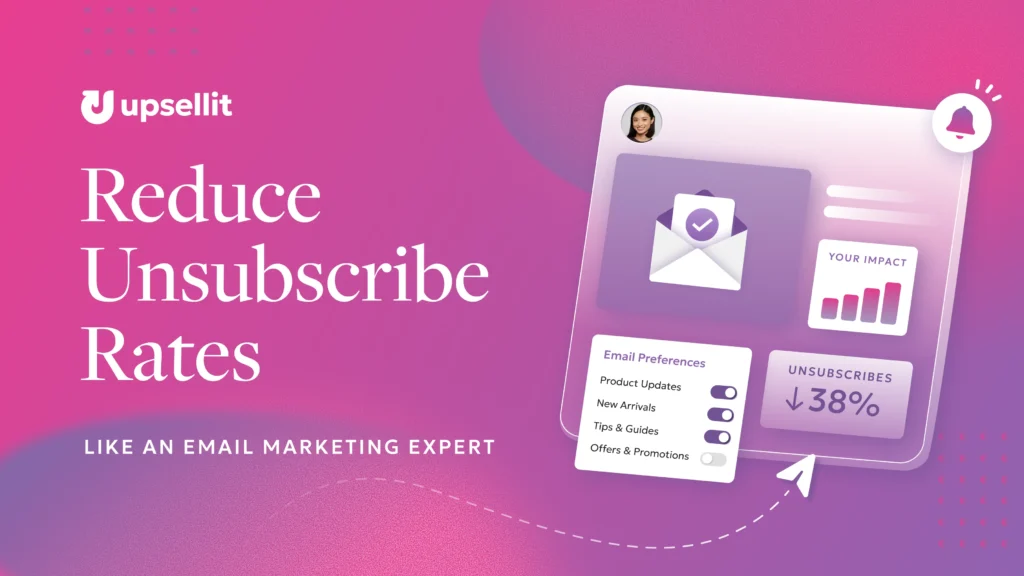
Email unsubscribes are a normal part of email marketing. Subscribers’ needs and interests change, and removing disengaged contacts can sometimes contribute to a healthier email list.
However, a rising unsubscribe rate may indicate that subscribers are receiving too many emails, irrelevant content, or messages that do not match their expectations. These seven strategies can help you reduce email unsubscribes, improve engagement, and build a more responsive email audience.
What Is an Email Unsubscribe Rate?
An email unsubscribe rate is the percentage of delivered emails that result in recipients opting out of future marketing messages.
To calculate it, divide the number of unsubscribes by the number of successfully delivered emails, then multiply the result by 100:
Unsubscribe rate = (Number of unsubscribes ÷ Emails delivered) × 100
For example, if 10 people unsubscribe after 5,000 emails are delivered, the unsubscribe rate is 0.2%.
What Is a Good Email Unsubscribe Rate?
A good email unsubscribe rate varies by industry, audience, email type, and sending frequency. Instead of relying on a universal benchmark, compare your performance with your historical unsubscribe rate, industry data, and similar email campaigns.
A sudden increase may be more meaningful than the rate itself. If unsubscribes begin to rise, look for patterns in the content, frequency, targeting, and subject lines of recent emails.
How Can You Reduce Email Unsubscribe Rates?
The best way to reduce email unsubscribe rates is to send relevant content to people who have chosen to receive it. Setting clear expectations, finding the right frequency, tailoring messages, and giving subscribers more control can all help.
Here are seven strategies you can start using today.
1. Use a Double Opt-In Process
A double opt-in requires new subscribers to confirm their email address before joining your list. After completing a signup form, the subscriber receives an email asking them to verify their subscription.
This additional step can help you:
- Confirm that email addresses are valid
- Reduce fake or mistyped addresses
- Establish clear consent
- Build a more engaged subscriber list
A single opt-in may grow your list faster, but a double opt-in prioritizes quality. Subscribers who actively confirm their interest may be more likely to engage with future emails.
2. Set Clear Expectations at Signup
Subscribers should understand what they are agreeing to receive before providing their email address. Explain the type of content you send, how often you send it, and whether the subscription includes promotions, product updates, educational content, or newsletters.
You can set these expectations on the signup form and reinforce them in your welcome email.
Most importantly, follow through on what you promise. If subscribers sign up for one weekly newsletter, sending daily promotions may lead to frustration and unsubscribes. Clear expectations make your email program more predictable and help establish trust.
3. Find the Right Email Frequency
Sending too many emails can overwhelm subscribers, while sending too few may cause them to forget why they joined your list.
There is no single email frequency that works for every audience. Test different cadences and monitor how each one affects unsubscribe rates, clicks, conversions, spam complaints, and revenue.
Your most engaged customers may welcome more frequent communication, while less active subscribers may respond better to a lighter cadence. If you significantly change your schedule, tell subscribers what to expect or allow them to select their preferred frequency.
4. Tailor Emails to Subscriber Interests
Sending the same content to every subscriber can make emails feel irrelevant. Organizing subscribers into groups based on their interests, preferences, or relationship with your brand allows you to send messages that are more useful to each audience.
You can tailor emails based on factors such as:
- Stated content preferences
- Purchase history
- Product interests
- Geographic location
- Engagement level
- New versus returning customer status
For example, a new subscriber may need an introduction to your brand, while an existing customer may be more interested in product education, complementary items, or loyalty benefits.
The more closely an email reflects what a subscriber wants to receive, the more valuable it is likely to feel.
5. Write Accurate, Relevant Subject Lines
A subject line should capture attention while accurately representing the content of the email. Misleading subject lines may earn an initial open, but they can also damage trust and increase unsubscribes.
Avoid exaggerated claims, false urgency, and language that makes an email feel deceptive. Instead, write subject lines that clearly communicate the value of opening the message.
An effective subject line should be:
- Relevant to the recipient
- Consistent with the email content
- Concise and easy to understand
- Specific enough to set expectations
- Aligned with your brand voice
You can still be creative. The goal is to make the subject line compelling without promising something the email does not deliver.
6. Optimize Emails for Mobile Devices
Subscribers may open your emails on smartphones, tablets, laptops, and desktop computers. Every message should be easy to read and interact with across screen sizes.
To create a mobile-friendly email experience:
- Use responsive email templates
- Keep copy concise and scannable
- Choose readable font sizes
- Use appropriately sized images
- Make buttons easy to tap
- Place important information near the top
- Test links, layouts, and calls to action before sending
A frustrating mobile experience creates unnecessary friction. Responsive design makes it easier for subscribers to read, click, and convert wherever they open the email.
7. Let Subscribers Update Their Preferences
An unsubscribe link should always be easy to find and use. However, it does not have to be the subscriber’s only option.
A preference center can allow subscribers to:
- Receive emails less frequently
- Select topics or product categories
- Pause emails temporarily
- Choose the types of messages they want
- Opt out of promotions while keeping important updates
Some subscribers do not want to end the relationship entirely. They may simply want fewer emails or more control over the content they receive. Providing those choices can help you retain interested subscribers without making them feel trapped.
Continue Monitoring Your Unsubscribe Rate
Reducing email unsubscribe rates is not about preventing every subscriber from leaving. It is about consistently delivering relevant value to the right audience.
Monitor unsubscribe rates alongside clicks, conversions, spam complaints, bounce rates, and revenue. If unsubscribes increase, review the full subscriber experience, including how contacts join your list, what they are promised, how frequently they receive emails, and how relevant those messages are.
List health is especially important when emails are triggered by shopper behavior. Brands need to coordinate timing, targeting, and suppression rules so subscribers do not receive irrelevant or repetitive messages. Learn more in our guide to email and SMS remarketing for ecommerce brands.
Create Emails Subscribers Want to Receive
Reducing unsubscribes starts with delivering relevant content and a clear, consistent experience. Explore Upsellit’s 27 Attributes of an Effective Email to learn how to create clearer, more engaging, and more conversion-focused emails.

Frequently Asked Questions About Email Unsubscribe Rates
Why are people unsubscribing from my emails?
People commonly unsubscribe because they receive too many emails, the content is no longer relevant, the subject lines do not match the message, or the emails differ from what they expected at signup.
Does a high unsubscribe rate affect email deliverability?
A pattern of poor engagement and negative recipient signals can affect sender reputation and deliverability. Evaluate unsubscribe rates alongside spam complaints, bounce rates, clicks, and other engagement metrics.
Should I make it difficult for subscribers to unsubscribe?
No. The unsubscribe process should be clear, simple, and easy to complete. Making it difficult to opt out can frustrate recipients and encourage them to mark your emails as spam.
How often should a business send marketing emails?
The right frequency depends on the audience, content, industry, and customer relationship. Test different cadences, monitor engagement and unsubscribe rates, and give subscribers the option to adjust how often they hear from you.